Opens anything delimited
.csv, .tsv, .tab, .psv, .txt and .csv.gz, with delimiter and encoding sniffing, header detection, and a re-import sheet to override every guess.

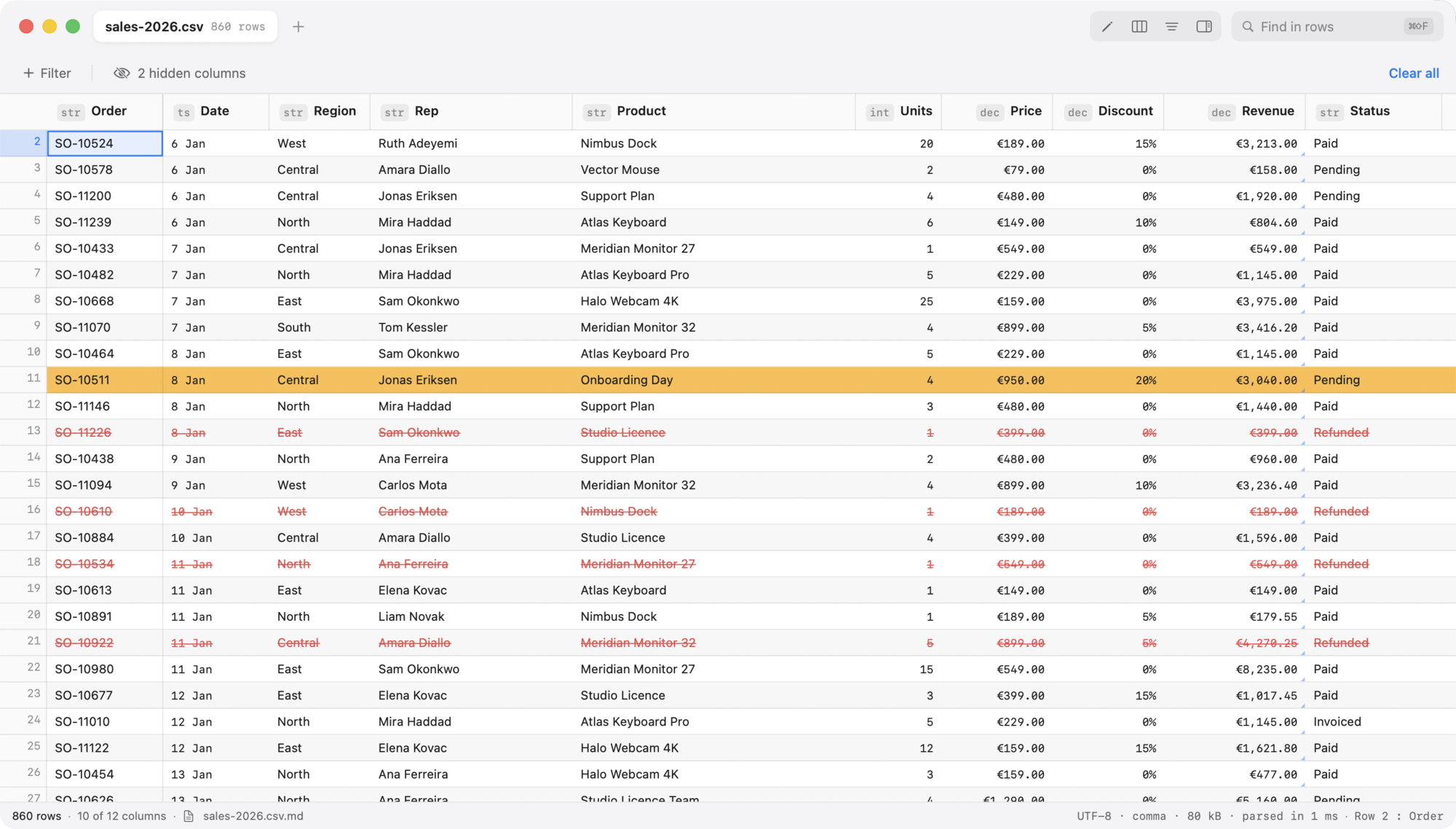
Plaintable is a fast, native macOS viewer and editor for CSV, TSV and any other delimited text. It opens in View mode, so nothing changes by accident — and ⌘E turns the same table into a real editor.
Requires macOS 26. Sandboxed, no network access.
The view file
A CSV cannot hold a calculation, a colour or a hidden row. So Plaintable keeps those beside it. Open sales.csv and everything about how it is shown — column order and widths, what is hidden or pinned, number and date formats, calculated columns, hidden rows, conditional row colouring, the sort and the filters — is written to sales.csv.md.
It is plain markdown, written to be read: tables you can edit in any editor, diff in a pull request and commit next to the data. Save it from somewhere else and the open window follows along. Nothing written in it ever touches the CSV, and calculated columns are shown, never saved.
## Columns

| Column   | Show | Width | Format        | Formula             |
| -------- | ---- | ----- | ------------- | ------------------- |
| Units    | yes  | 85    | number        |                     |
| Price    | yes  | 110   | currency(EUR) |                     |
| Category | no   | 100   |               |                     |
| Revenue  | yes  | 140   | currency(EUR) | `[Units] * [Price]` |

## Rows

- Hidden: 6, 40-44

## Row formatting

| When                    | Style                   |
| ----------------------- | ----------------------- |
| `[Discount] >= 0.2`     | background amber        |
| `[Status] = "Refunded"` | strikethrough, text red |

## Sort

1. Revenue — descending
An excerpt from a real sales.csv.md.
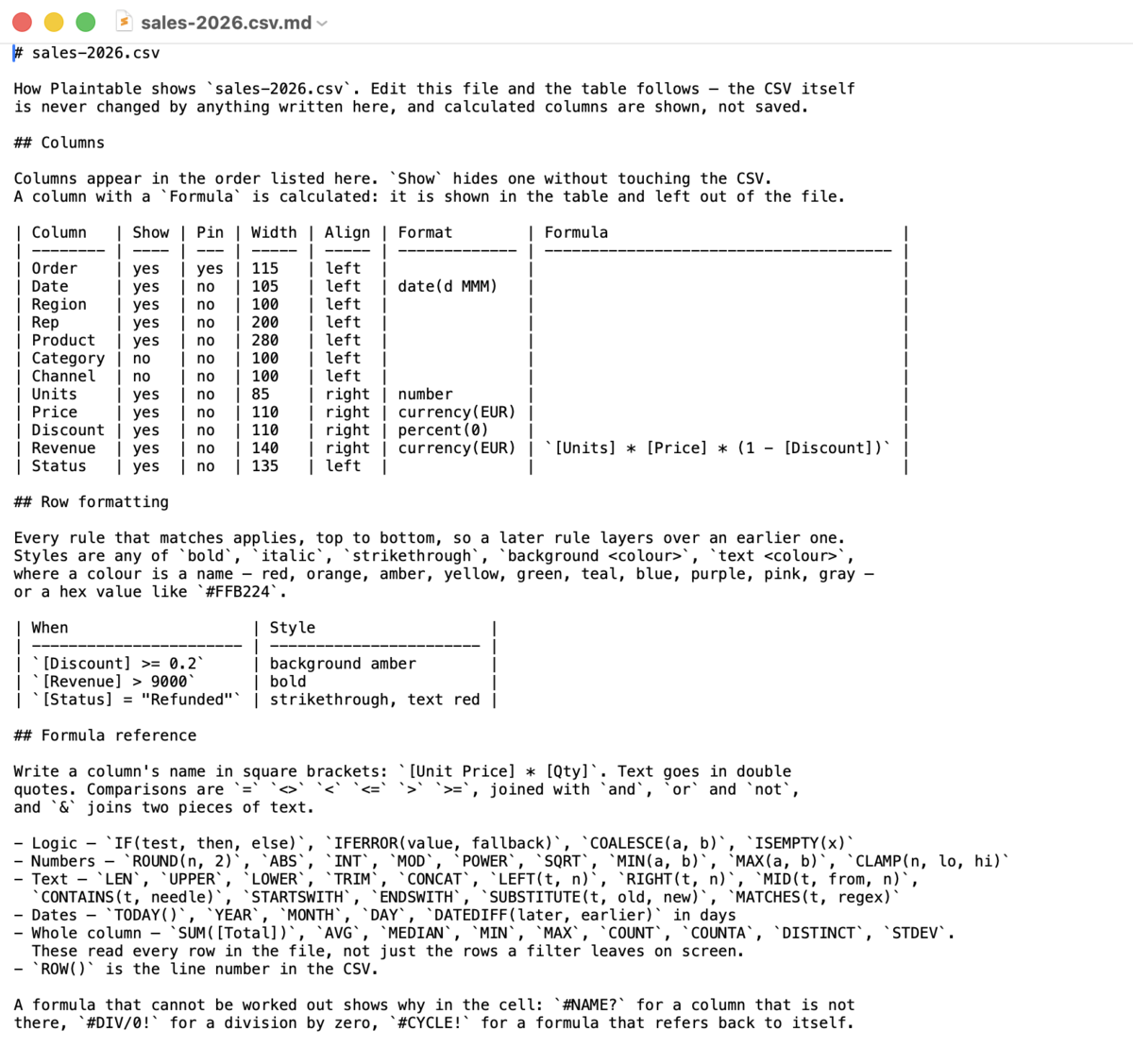
The same file in TextEdit, sitting next to the CSV.
Calculations
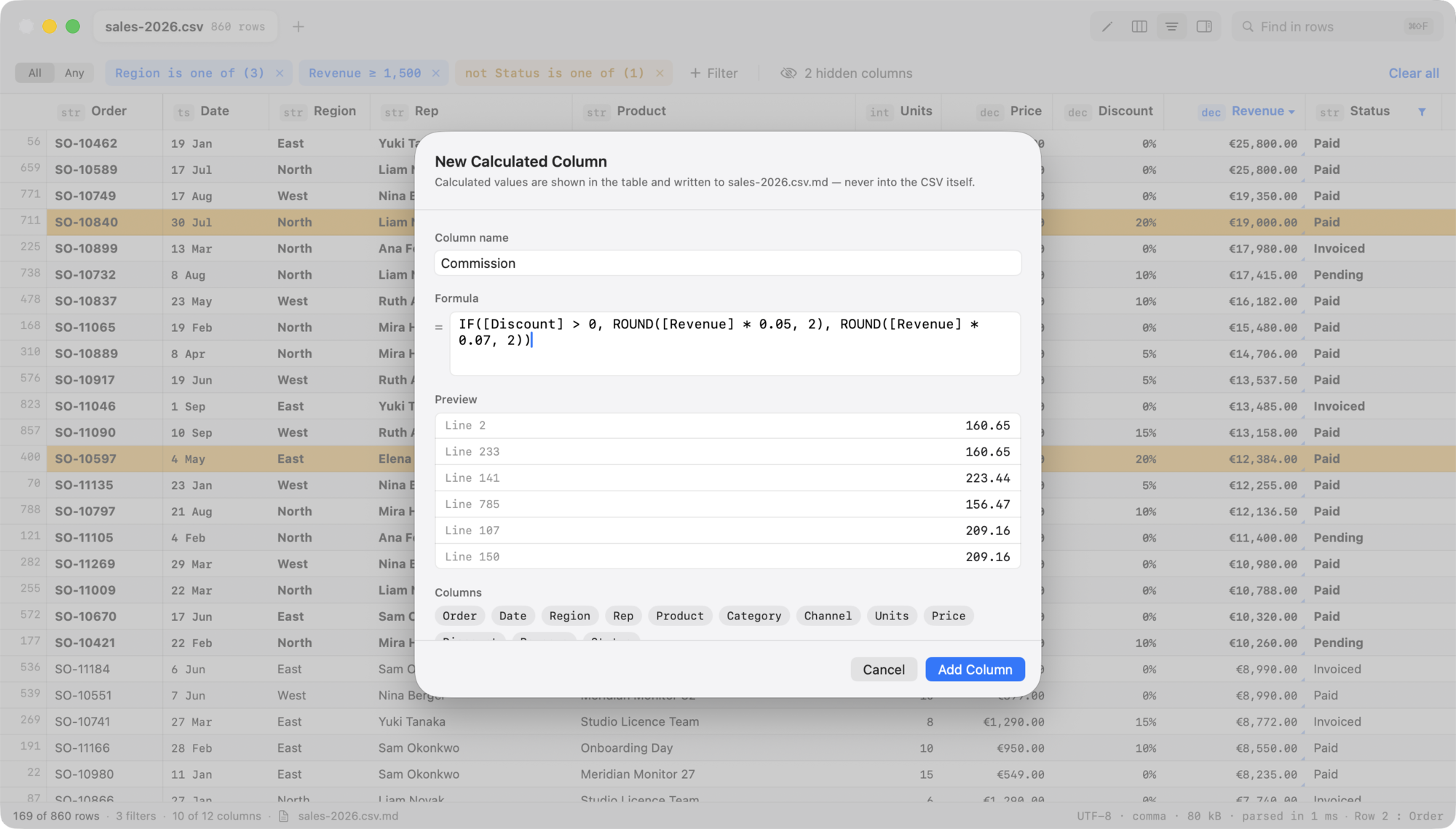
Write a column's name in square brackets and go: [Units] * [Price] * (1 - [Discount]). Comparisons, and / or / not, & for joining text, about fifty functions, and whole-column summaries — so [Total] / SUM([Total]) works.
A calculated column sorts, filters and exports like any other, and is left out of the file. Formulas can also be pinned to a single cell. Errors are values, not failures: a bad formula shows #NAME? in its own cell and leaves the rest of the table alone.
Sorting & filtering
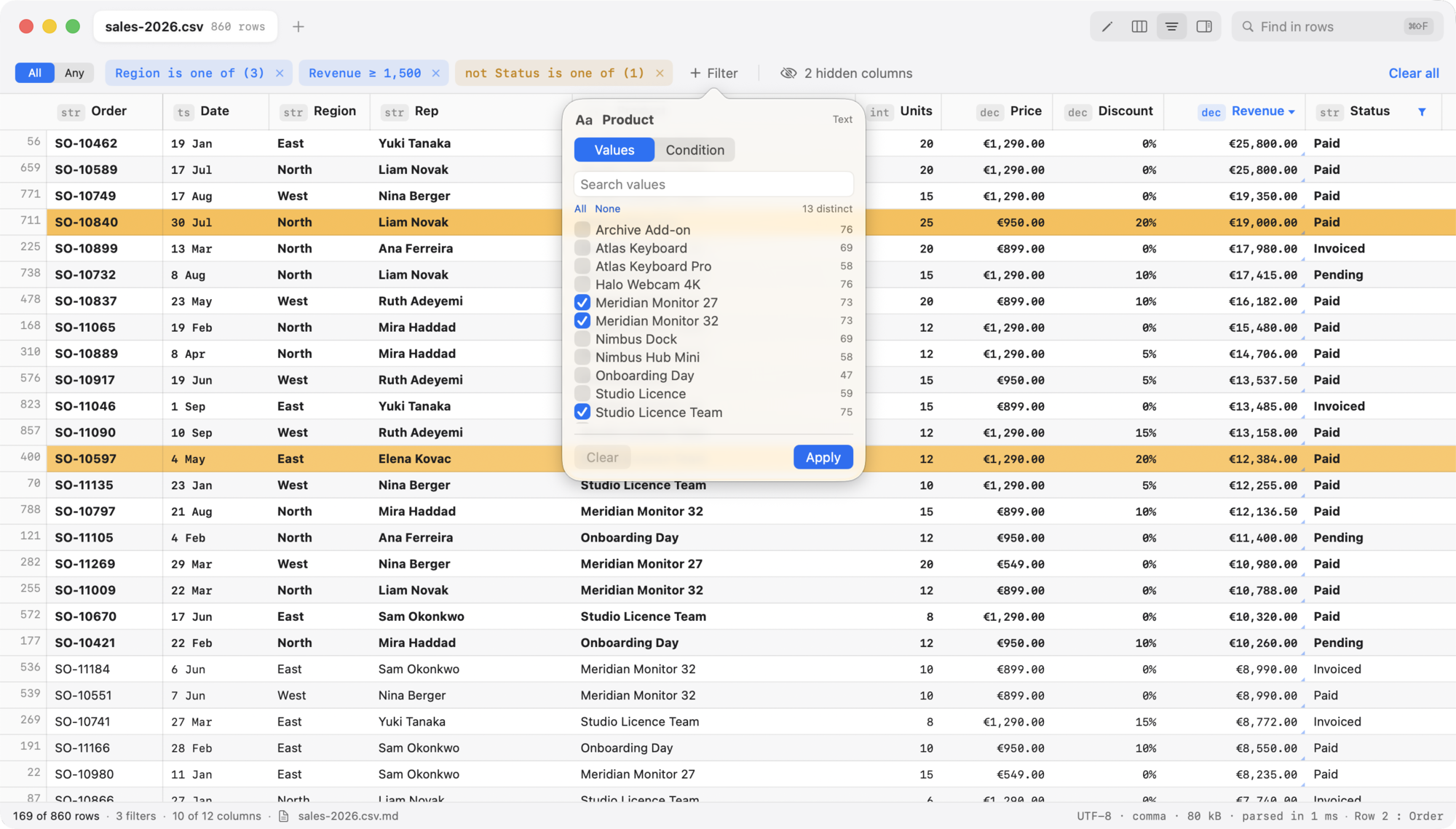
A quick filter in the toolbar, per-column popovers whose contents follow the inferred type, and the familiar distinct-value checklist with counts. Filters stack in a removable chip bar with AND/OR and invert, and a set can be named and saved per file.
Click a header to cycle the sort three ways, shift-click for extra keys with priority numbers. Comparison is type-aware — numeric, chronological, boolean, localised text — stable, with empties pinned to one end.
Editing
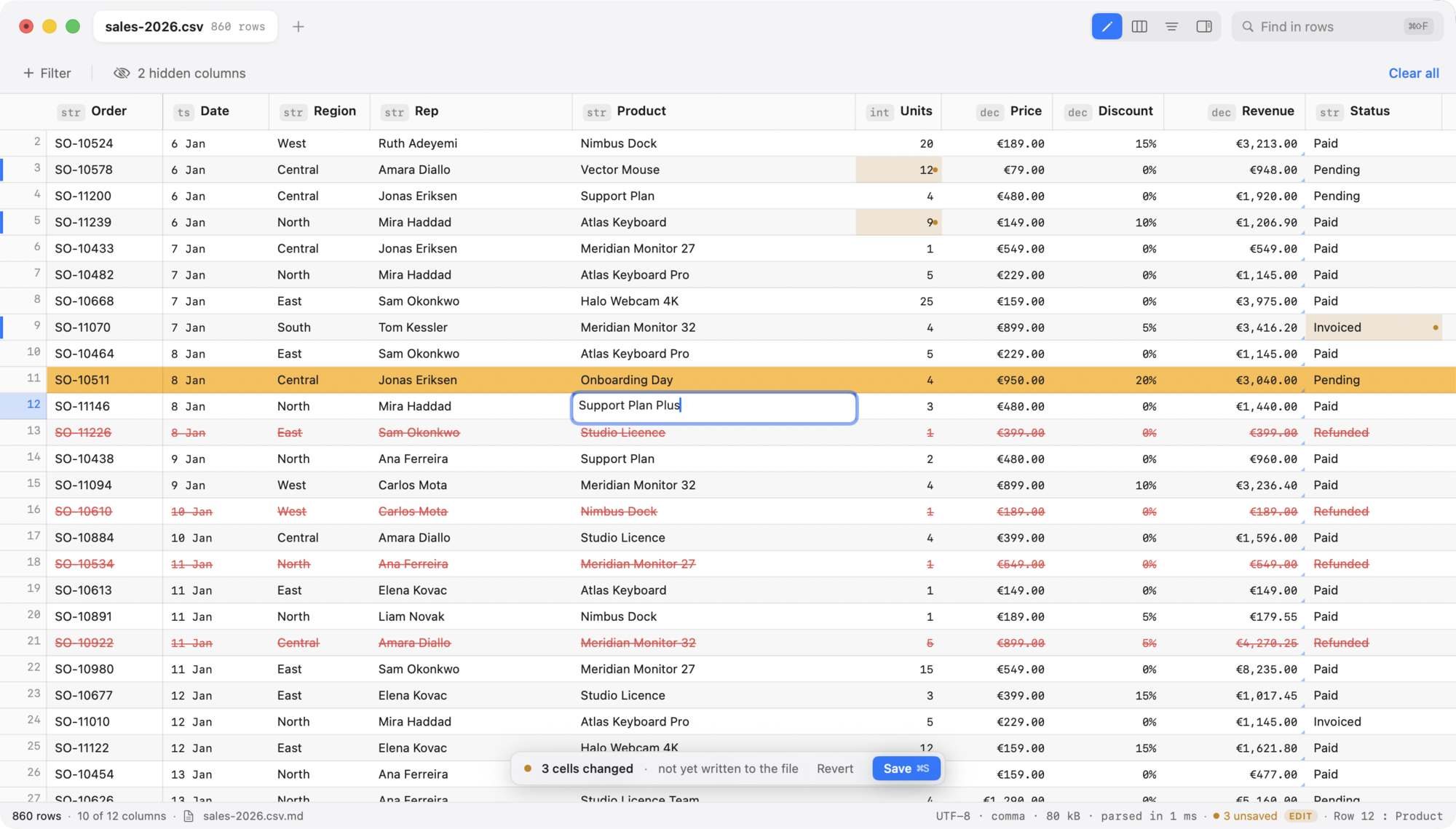
Inline editing with type-to-replace, range paste, fill down and right, case transforms, find and replace with a live count of what is about to change, insert and delete rows and columns, and unlimited undo with real action names.
Saving preserves your file's delimiter, quoting, line endings, encoding and BOM, and rewrites only the rows you actually touched. An unmodified document saves byte-identically — asserted by a property test over every fixture.
Built for big files
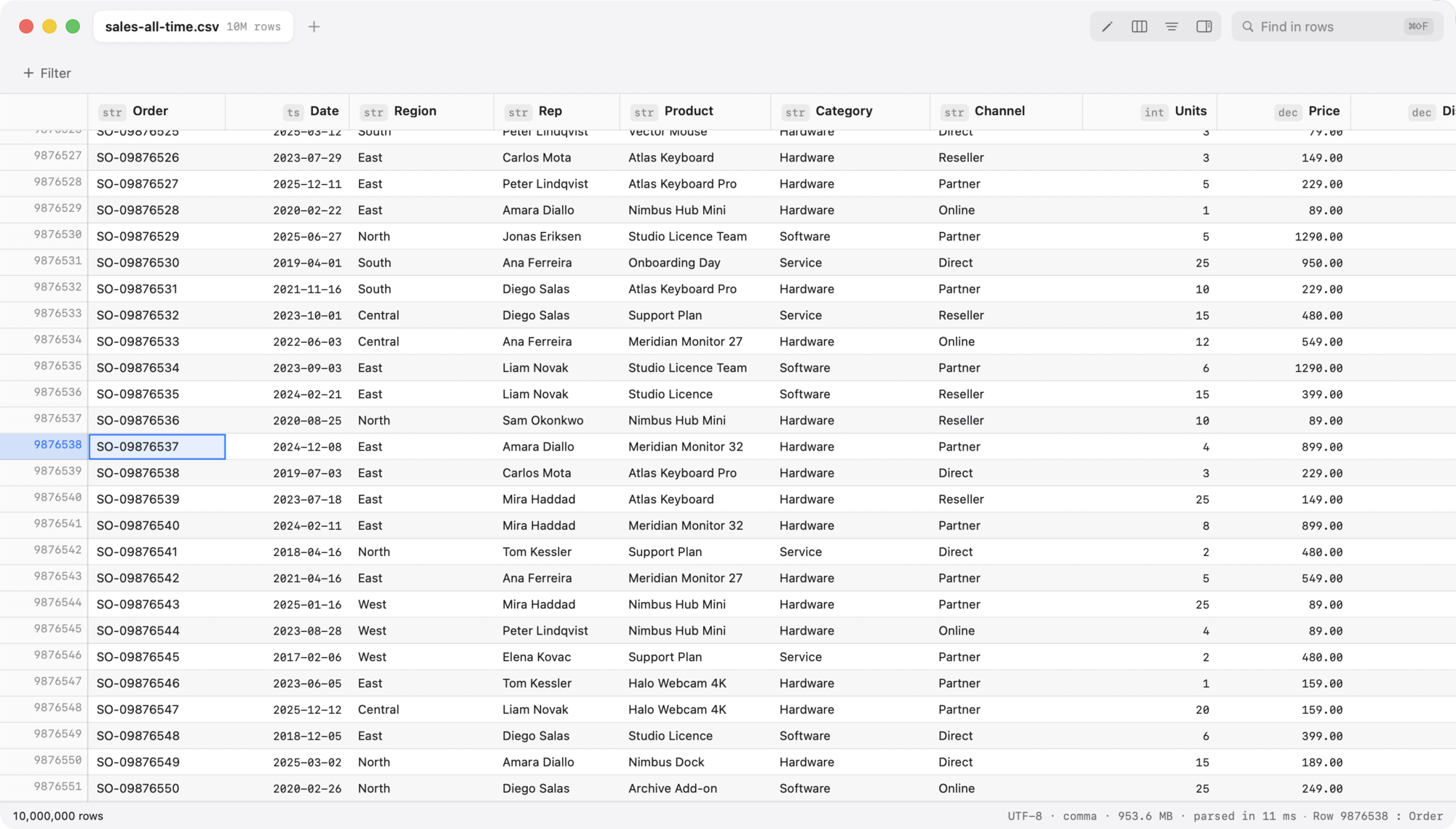
The file is memory-mapped and never loaded as a string. A single quote-aware pass records where each record starts; cells are decoded only as they scroll into view. Sorting and filtering permute an array of row IDs over cached column projections, so the source bytes are never copied or reordered.
Files of 24 MB and up show their window immediately and finish indexing in the background, with the progress in the status bar.
| Measured on a Release build | Time |
|---|---|
| Map and index 1,000,000 rows (55 MB) | 0.06 s |
| Map and index 10,000,000 rows (568 MB) | 0.60 s |
| 10,000 scattered row reads | 0.005 s |
| Sort 1,000,000 rows on a numeric column | 0.73 s |
| Quick filter across all columns (1M rows) | 0.07 s |
| Serialize 1,000,000 rows with one edited cell | 0.10 s |
Times vary with your Mac and your data; these are from the project's own benchmark suite.
And the rest
.csv, .tsv, .tab, .psv, .txt and .csv.gz, with delimiter and encoding sniffing, header detection, and a re-import sheet to override every guess.
BOM detection, UTF-8 validation, UTF-16/32 transcoding and a Windows-1252/1251 fallback. A file that arrived gzipped is written back gzipped.
Sticky header, a frozen gutter showing source line numbers, pinned columns, drag to resize and reorder, auto-fit on a double-click, and full keyboard navigation.
Rows with the wrong field count are marked, and ⌘⇧J steps to the next one. Go to Row with ⌘L, zoom with ⌘+ and ⌘−.
Rules of the form “when [Total] > 1000, bold on amber”. Every rule that matches applies, top to bottom, so they layer instead of multiplying.
Hide one row or a selection by CSV line number, kept apart from the filters so clearing the filters does not bring them back. The status bar always says how many.
Type, row and empty counts, distinct values, min, max, sum, mean, median and standard deviation, with a distribution sparkline.
⌘I reads the focused row top to bottom — every field, hidden columns and calculated values included — and copies the whole row as JSON.
The current view — sorted, filtered, calculated — out to CSV, TSV, JSON, JSON Lines, Markdown or HTML.
Unsaved edits are journalled a couple of seconds after you stop typing. A journal on disk means the session ended badly, and reopening the file offers the edits back.
An app extension previews delimited text through the same engine, with the sniffed dialect, a row-number gutter and markers for malformed rows.
The grid publishes itself as a real accessibility table — rows, cells, and columns that announce their sort and filter state — built only for what is on screen.
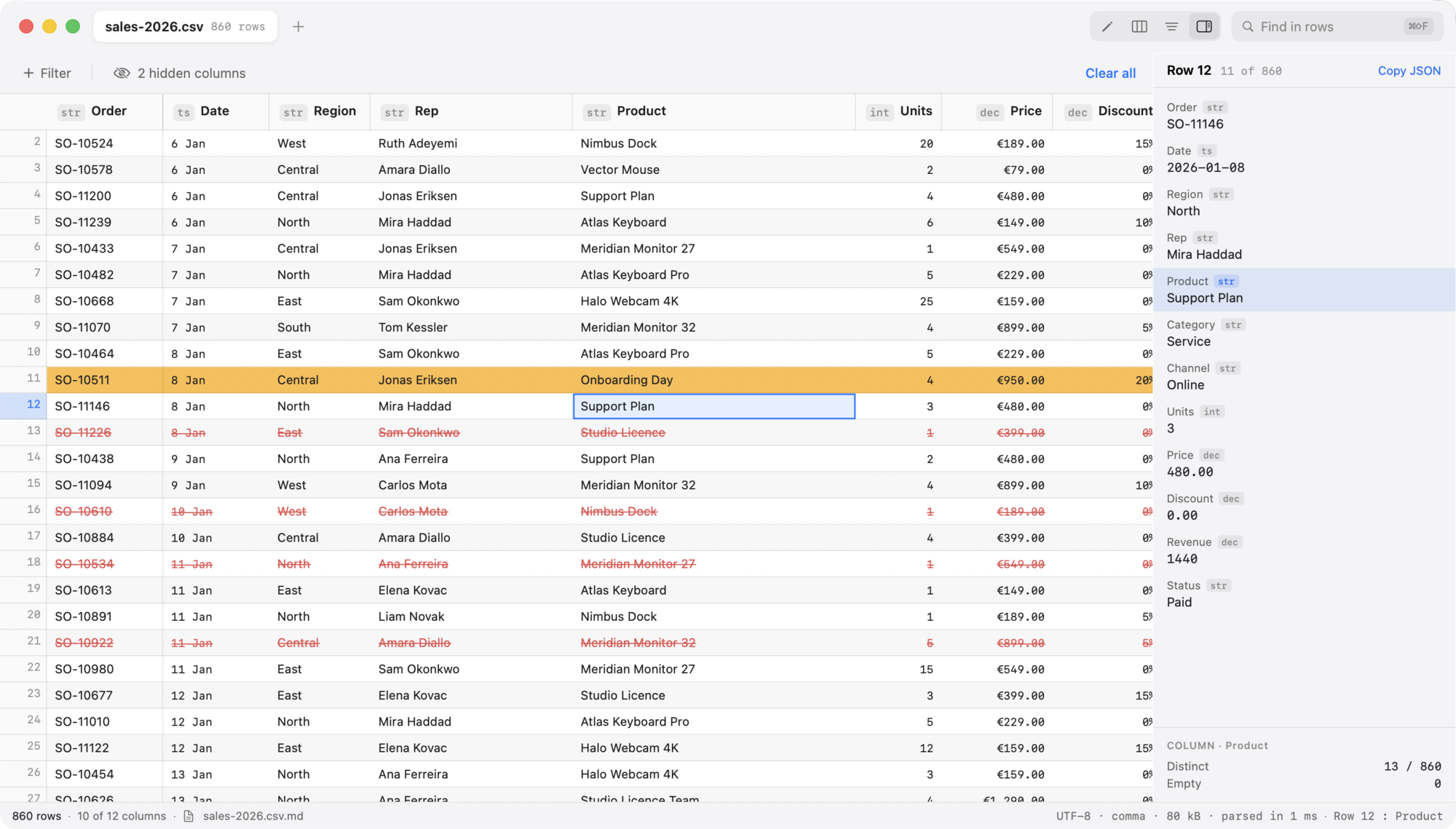
The row inspector, with the two hidden columns and the calculated Revenue in place.
A one-time purchase for macOS. No account, no subscription, no network access — your files never leave your Mac.
Requires macOS 26 or later · Apple silicon and Intel · Sandboxed, no network entitlement